
Decoding Sitemaps: The Blueprint of Your Website Explained
For as important a role that sitemaps play in search engine optimization (SEO), they are commonly misunderstood or ignored by many site owners. With the field of SEO becoming increasingly competitive, not taking advantage of every resource available is negatively impacting your website’s visibility.
In this article, we’ll break down what a sitemap is, the different types of sitemaps, and why your website absolutely needs one! Looking to upgrade your SEO and get your page ranking higher? Consider working with a professional digital marketing agency!

Sitemaps Defined
A sitemap is essentially a list that outlines the structure of your website. It shows how each page in your website is linked to others, making it easier for search engines to crawl your site and index it properly.
Sitemaps are a critical component of SEO as they enable search engines to understand the content and relation of each page, leading to potentially higher search engine results page (SERP) rankings.
Types of Sitemaps
There are different types of sitemaps – but for the purposes of this blog we’ll be focusing on the two types which most directly influence your website’s SEO: XML sitemaps and HTML sitemaps.
XML Sitemaps
XML (Extensible Markup Language) sitemaps are designed primarily for web crawlers. These sitemaps are coded in a way that allows search engines to crawl your site more efficiently, indexing each webpage correctly.
An XML sitemap can provide metadata about each URL, like when it was last updated and its level of importance relative to other URLs on your site.
In addition to page and post sitemaps, there are also video sitemaps and image sitemaps. These sitemaps are helpful for getting image and video content crawled by Google, allowing it to display your media in its search results.
HTML Sitemaps
Unlike XML sitemaps, HTML sitemaps are created for human users and offer a hierarchical view of your website, usually linked in the footer. This makes it easier for visitors to navigate your site, especially if it has a large number of pages.

An example of an XML sitemap on Cut Throat Marketing.

An example of an HTML sitemap on Apple.com.
How to Find a Sitemap File
Manually
You can often find a website’s sitemap by simply appending /sitemap.xml or /sitemap.html to the end of the URL. For example, https://cutthroatmarketing.com/sitemap.xml.
Google Search Console (GSC)
If you’ve set up Google Search Console for your site, you can easily find your sitemap there. Go to the “Sitemaps” section and you will find the path to your sitemap, if submitted.
Robots.txt
Your site’s Robots.txt file may also point to the sitemap. Just look for a line in the file that starts with Sitemap: followed by the URL of the sitemap.
Search Operators
Another method to find a sitemap is using search operators in Google. Type site:yourwebsite.com filetype:xml in the search bar to find any XML files on your site.
This method depends on the Googlebots having indexed the page already, and whether or not the sitemap is set to noindex.
Why Sitemaps Matter
Improved Search Engine Indexing
As mentioned earlier, sitemaps help search engines to better understand your website. This leads to more accurate indexing and, in turn, higher visibility in search results.
User Navigation
HTML sitemaps improve user experience by providing a simple way for visitors to navigate your site.
Website Planning
When designing a website, starting with a new sitemap is often a good idea. Your sitemap will help you visualize the structure of your website, making it easier to organize content logically and avoid redundancies or excessive complexity.
We recommend creating a visual sitemap so you can see your site structure at a glance. Typically laid out similar to flow-charts or genealogy trees, visual sitemaps can be easily written out by hand, or there are applications like Figma which can help you create one digitally.
Creating a Sitemap with WordPress Plugins
While XML sitemaps can theoretically be made manually, by far the best way to create them is to use sitemap generator plugins.
For WordPress users, generating a sitemap can be easily done with full-featured SEO plugins like Yoast SEO or RankMath. Just install the plugin and follow the guided steps, and you’ll have a functional sitemap in no time. As an added benefit, RankMath and the Yoast SEO plugin offer powerful tools which will help new websites improve their SERP rankings.
Submitting Your Sitemaps to Search Engines
Submitting an XML sitemap to search engines is an essential step for SEO because it helps search engines discover and index your website’s pages more efficiently. Here’s how you can submit your XML sitemap to some of the major search engines:
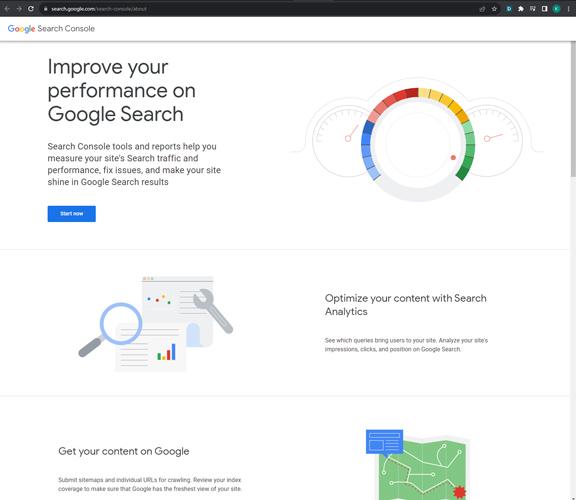
Google Search Console
- Create or Locate Your XML Sitemap: Ensure you have an XML sitemap for your website. You can generate one manually, or use plugins to generate it automatically.
- Verify Your Website: If you haven’t already, you’ll need to verify ownership of your website in Google Search Console.
- Navigate to Sitemaps: Once you’re in Google Search Console, go to the ‘Sitemaps’ reports page (this can be found under the ‘Indexing’ menu).
- Submit Sitemap: Enter your sitemap URL in the ‘Add a new sitemap’ field and then click ‘Submit’.
- Monitor: Google will now crawl your sitemap and provide information on any errors or issues. Keep an eye on this to ensure everything is in good shape.

Bing Webmaster Tools
- Create or Locate Your XML Sitemap: As with Google, ensure you have your XML sitemap ready.
Verify Your Website: Verify your site ownership on Bing Webmaster Tools if you haven’t done so already. - Submit the Sitemap: Go to ‘Configure My Site’ -> ‘Sitemaps’ in the left-hand navigation menu. Enter the full URL of your sitemap and click ‘Submit’.
- Monitor: Bing will provide you with information on the sitemap, such as the last crawl date and any errors that were detected.
Other Search Engines
Other search engines like Yahoo and DuckDuckGo typically use Google’s and Bing’s search results, so submitting your sitemap to Google and Bing should suffice for most cases.
Best Practices for Sitemaps
- Keep It Updated: Whenever you add new pages or remove old pages, update your sitemap. Most plugins automatically perform these updates for you.
- Validate Your Sitemap: Always check for errors after creating your sitemap. Most SEO tools provide this feature. Generally this feature is contained with a “Site Audit” tool.
- Limit the Number of URLs: Google recommends limiting your XML sitemap to 50,000 URLs. This is almost certainly not a problem for service businesses but is relevant for eCommerce sites with extensive product listings.
Sitemap FAQs
Do my sitemaps need to be indexed for Google to be able to use them?
Some plugins, like RankMath and Yoast, set sitemaps as ‘noindex’ which means that the pages cannot be found in a Google search. In the past, this has led to some confusion with users thinking that this would hurt their SEO. The good news is that this isn’t the case and your sitemap’s index status does not impact your SERP rankings.
Is it important for my sitemap to use Priority and Changefreq tags?
According to Google’s John Mueller, the search engine no longer considers priority and changefreq tags on sitemaps. You can safely ignore these fields as it seems unlikely that Google will return to user self reporting for priority and change frequency.
Why do I need a sitemap, can’t Google just find all of my pages from my homepage links?
Search engine crawlers are very effective, but they can only find pages via links from other pages. This means that unless your website is 100% perfectly internally linked, there is a very real chance that Google will miss some of your content.
Pages with no internal links pointing to them, so-called ‘orphan’ pages, are always going to struggle to rank, but without a sitemap they are entirely invisible to Google.
What does it mean to set a URL within my sitemap index as Canonical?
Canonical tags are used when there are multiple variations of the same page – perhaps due to region specific pages or dedicated mobile versions. These tags hint to Google that you’d prefer to use one page over another in the search results – but ultimately Google will use its discretion to determine which page will be shown.
Sitemaps: Following the Blueprints of SEO Success
While sitemaps mostly operate behind the scenes, they are an important tool for digital marketing. They improve your site’s SEO, make navigation a breeze for visitors, and serve as a handy guide for your website planning process.
If you’re digitally DIY-savvy, it isn’t particularly hard to make sure that your website’s sitemap is set up and working properly. However, if you are interested in taking your digital marketing to the next level consider working with a marketing agency with proven SEO results.